Business Website Upkeep Guide for Small Firms
July 26, 2026
Agency or Freelancer Website Support for SMEs
July 30, 2026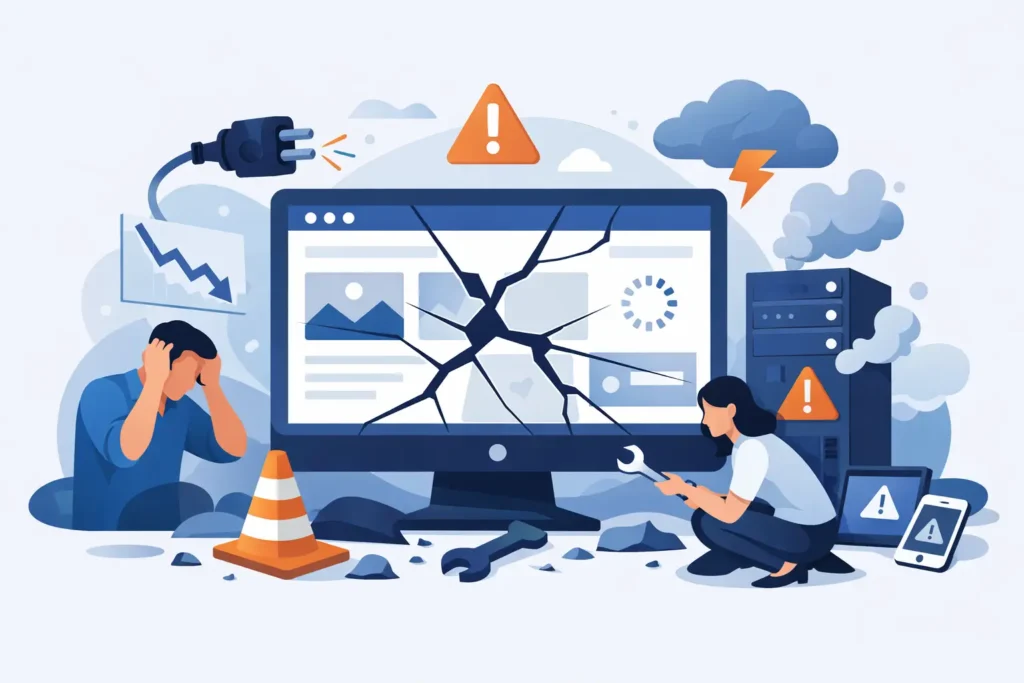
A website problem rarely arrives at a convenient time. It may be a contact form that stops sending messages, a shop checkout that fails on a Saturday, or a blank screen where your homepage should be. When business owners ask, “what happens if website breaks?”, the immediate answer is simple: customers cannot use a part of the business they expected to find open.
The longer answer depends on what has failed, how quickly it is spotted and whether anyone is responsible for fixing it. A small issue can be contained. An unattended issue can cost enquiries, orders and confidence in your company.
What happens if your website breaks?
Not every fault takes a whole site offline. Sometimes the website is visible but a key function is not working. A visitor may be unable to submit an enquiry, book an appointment, buy a product or view the site properly on their mobile. From their point of view, the reason does not matter. They are likely to try another business.
If the entire site is unavailable, the impact is more obvious. Anyone clicking from Google, social media, an advert or a previous email will reach an error page instead of your company. If you rely on the site for leads or sales, that interruption can quickly become a commercial problem.
There is also a trust issue. People expect a business website to work. A broken page, security warning or expired domain can make an otherwise reliable company look neglected. One short outage may not damage your reputation permanently, but repeated problems give customers a reason to hesitate.
Enquiries can disappear without you knowing
A failed contact form is particularly frustrating because it can go unnoticed. Your website may look normal, while messages from potential customers never arrive. You may assume business is simply quiet when leads are being lost in the background.
The same applies to booking forms, quote requests, newsletter sign-ups and downloadable documents. These are not decorative features. They are working parts of your sales process, so they need regular checks.
Online sales can stop at the checkout
For an e-commerce website, even a minor technical issue can prevent payment, disrupt stock information or stop order confirmations being sent. Customers who cannot complete a purchase may not return. You can also create extra work for yourself if orders need to be checked manually or customers need reassurance.
A broken shop does not always mean the whole website has failed. It may be caused by a payment provider update, a plugin conflict, an expired security certificate or a change to your hosting environment. Finding the real cause quickly matters more than guessing.
Search visibility may suffer if downtime continues
Search engines generally understand that occasional outages happen. A brief interruption is unlikely to erase years of work. However, a website that remains unavailable or repeatedly returns errors can become harder for search engines to trust and show in results.
The larger risk for most small businesses is the immediate loss of visitors already looking for them. If someone searches for your service, finds your website and cannot access it, they may choose a competitor before any longer-term search impact becomes relevant.
The most common reasons a website stops working
Websites have several moving parts. A fault may sit in the website itself, the hosting account, the domain name, a third-party service or an update made to improve another area of the site.
Software updates are a common cause. Keeping website software current is necessary for security and compatibility, but an update can occasionally conflict with an existing theme, plugin or custom feature. This is why updates should be monitored rather than treated as a set-and-forget job.
Hosting problems can also take a site down. The server may have an outage, run out of resources or be affected by a configuration issue. An expired domain or missed renewal can make the website and business email unavailable, even when the site files themselves are fine.
Security incidents are another possibility. Out-of-date software can be targeted by malware, spam or unauthorised changes. A hacked website may redirect visitors elsewhere, display warnings, send unwanted emails or be suspended by its host to prevent further harm.
Human error should not be ignored either. An incorrect setting, deleted file or poorly tested content change can break a page. That is not a reason to avoid updating your site. It is a reason to have backups, sensible processes and someone available to put things right.
What to do first when your website is down
The first rule is not to panic or start changing random settings. Quick fixes made without knowing the cause can make recovery slower. Start by confirming what users can see. Check the site from a different device or mobile connection, and test the key pages, contact form and checkout if you have one.
Next, make a note of the error message and the time you noticed it. A screenshot can help the person fixing the issue identify whether the problem relates to hosting, security, a plugin, a browser display issue or something else.
If you have a website support provider, contact them with those details. If your hosting company has reported an outage, check whether the problem is already being addressed. Avoid restoring an old backup immediately unless you know the issue was caused by a recent site change. Restoring too quickly can remove legitimate updates, content or orders.
If the problem affects sales or customer service, tell people through the channels you still control. A short post on social media or a message on your Google Business Profile can prevent confusion. Keep it factual: you are aware of a technical issue and are working to resolve it. There is no need to share technical detail or make promises about a repair time you cannot confirm.
How ongoing maintenance limits the damage
No provider can promise that a website will never have a problem. Hosting outages, third-party services and unexpected software conflicts do happen. The difference is whether the issue is discovered early, handled properly and resolved by someone who understands the website.
Regular maintenance reduces avoidable risks. This includes checking that software updates complete correctly, monitoring security, keeping backups, renewing key services and testing important functions after changes. For a business site, these routine jobs are not glamorous, but they protect the parts that bring in work.
A current backup is especially valuable. If a problem cannot be repaired cleanly, a recent backup can provide a safe recovery point. However, backups are only useful when they are stored properly and can be restored. A maintenance process should account for both.
It also helps to have one point of contact. When a website breaks, busy owners do not want to work out whether to call the host, developer, domain company or payment provider first. A website care service can assess the fault, deal with the relevant supplier where needed and keep the work moving.
My Website Needs Help provides this kind of ongoing support for small businesses that need their site kept functional, updated and protected without taking on the technical burden themselves.
A sensible plan for business continuity
Think about which website functions would cause the greatest disruption if they stopped. For a trades business, it may be calls and quote forms. For a consultant, it may be appointment bookings. For a retailer, it is likely to be product pages, payments and order emails.
Make sure the person responsible for your website has access to the essentials: domain account details, hosting information, website logins and any payment or email service records. Keep access secure and do not share passwords casually, but avoid putting all knowledge in one employee’s inbox or with a developer you can no longer reach.
Finally, check your website when you are not actively changing it. Visit it as a customer would. Send a test enquiry from time to time. Place a test order where appropriate. These simple checks catch the quiet failures that can otherwise linger for weeks.
A working website should not be another job on your daily list. With regular care and a clear route to support when something goes wrong, you can spend less time chasing technical faults and more time running the business.