Is a Recurring Website Support Service Worth It?
July 22, 2026
Business Website Upkeep Guide for Small Firms
July 26, 2026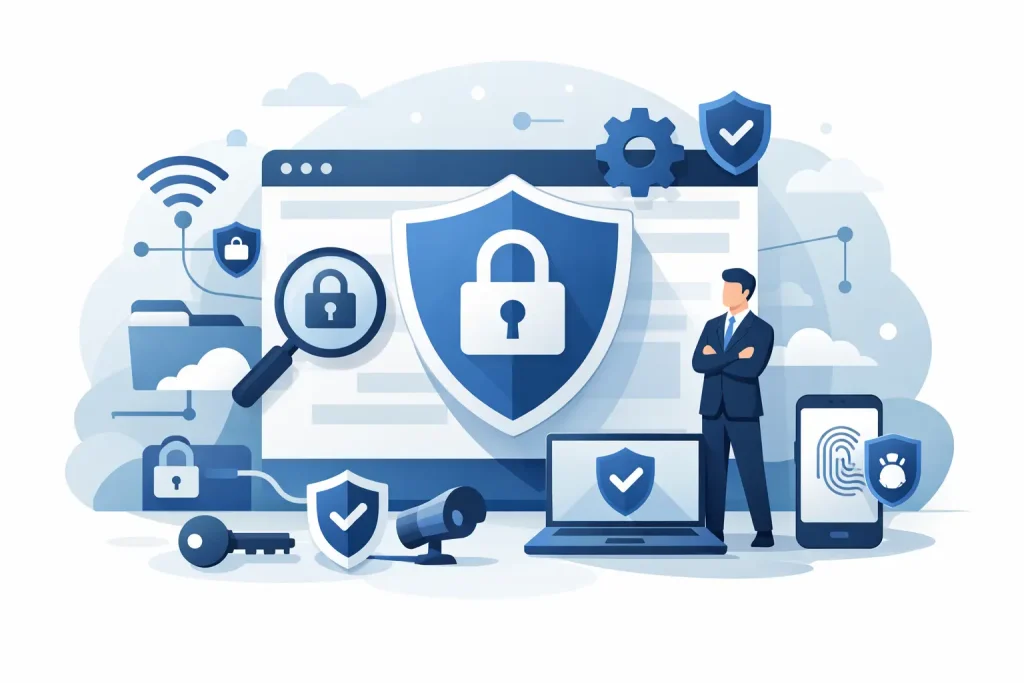
A website can look perfectly normal to customers while a security problem is building in the background. An old plugin, an expired login, a missed update or a backup that has never been tested can turn a working business asset into a costly interruption. Keeping business website secure is not about chasing complicated technology. It is about making sure the everyday jobs that protect your site are done, checked and not left until something goes wrong.
For a small business, the consequences can be immediate. Your website may be taken offline, display unwanted adverts, send visitors elsewhere or stop taking enquiries and payments. Restoring trust takes longer than fixing a technical fault, especially if customers believe their details could have been affected.
Keeping Your Business Website Secure Starts With Routine
Security is rarely a one-time job. Websites rely on several moving parts: the hosting account, content management system, theme, plugins, forms, email addresses and user accounts. Each needs attention over time.
The right routine depends on the site. A brochure website with a contact form has a different risk level from an online shop handling customer accounts and card payments. However, every business website needs regular updates, secure access, working backups and someone who will notice a problem quickly.
Leaving maintenance until the site breaks is a false economy. A small issue is normally quicker and less expensive to resolve before it becomes an outage or a clean-up job. Regular care also helps keep the website functional, current and easier to manage when you need a content change or new feature.
Keep the Website Software Up to Date
Most business websites use a content management system and additional software to add features such as contact forms, galleries, booking tools, search engine tools or e-commerce functions. Developers release updates to fix faults, improve compatibility and close known security weaknesses.
If an update is ignored, the weakness does not disappear because your website is small. Automated attacks scan for sites running outdated software, with no interest in the size of the business behind them. They are looking for an easy way in.
Updates should be applied carefully rather than blindly. A plugin update can occasionally conflict with a theme or another plugin, particularly on an older website. Before making changes, take a current backup. Afterward, check key pages, forms, menus, logins and, where applicable, the checkout process. This is why ongoing maintenance is more useful than simply pressing an update button once in a while.
It is also worth reviewing whether every plugin is still needed. Unused plugins, themes and features create more to maintain. Remove what is no longer used, rather than leaving it installed just in case.
Do Not Ignore the Theme and Core Platform
Owners sometimes update plugins but forget the main website platform and theme. Both can contain security issues too. Keep them supported and compatible with the current version of your website software.
There is a trade-off with very old bespoke websites. A major update may require development work before it can be applied safely. That is not a reason to avoid the issue. It is a reason to assess the site properly, plan the work and avoid carrying an unsupported setup indefinitely.
Protect Every Login That Can Change Your Site
A secure website is only as secure as the accounts that control it. The main website administrator account, hosting account, domain account and business email address all matter. If somebody gains access to one of these, they may be able to alter the site, redirect email or prevent you from recovering control.
Use a unique, long password for each account. Do not reuse the password from your email, bank, social media or another website. A password manager can create and store strong passwords without forcing you to remember a different one for every service.
Turn on two-factor authentication wherever it is offered. This adds a second check, usually through an app or code, if someone tries to sign in. It is one of the most practical ways to reduce the risk from a stolen or guessed password.
Keep the number of administrator accounts low. Give staff and contractors only the access they need, and remove access as soon as they no longer work on the site. Shared logins make it difficult to know who changed something and are easily forgotten when people move on.
Back Up the Website and Check the Backup Works
A backup gives you a route back if the website is hacked, damaged during an update or lost through a hosting fault. But a backup only helps if it is recent, complete and can actually be restored.
Your backup should include the website files and its database. The database often contains page content, contact form entries, customer accounts, orders and settings. For an e-commerce site, a backup from last month may not be enough because it could miss recent orders and customer information.
Store at least one backup separately from the live hosting account. If access to the hosting account is lost or files are corrupted, a backup stored only in the same place may not be available when you need it. The appropriate frequency depends on how often the website changes. A site updated daily needs more frequent backups than a simple site changed a few times a year.
Most importantly, test the restoration process. A backup that cannot be restored creates a nasty surprise at the worst possible time. A website support provider should be able to explain where backups are held, how often they run and what happens if a recovery is required.
Secure Forms, Payments and Customer Data
Any website that collects information has a duty to treat it carefully. Contact forms can receive names, phone numbers, email addresses and business details. Online shops may handle order information and customer accounts. Collect only the information you genuinely need, and make sure it is sent and stored appropriately.
Your website should use HTTPS, shown by the padlock in the browser. This encrypts data travelling between the visitor and the site. It is a basic expectation for every business website, not just payment pages.
For card payments, use an established payment provider rather than storing card details on your own website. This reduces the amount of sensitive information your business handles directly. It does not remove every responsibility, but it is a sensible way to limit risk.
Check your forms as part of routine maintenance. Make sure they still arrive at the right email address, include spam protection and do not expose unnecessary information. If your business has privacy requirements or handles sensitive data, seek the appropriate legal and data protection advice alongside the technical work.
Monitor What Visitors See
Security checks should not happen only behind the scenes. Visit the website as a customer would. Open it on a phone as well as a computer, submit a test form and check that key pages load correctly.
Warning signs include unfamiliar administrator users, sudden changes to page text, redirects to another site, browser security warnings, unexplained new files or a sharp fall in enquiries. You may also receive alerts from customers before you notice a problem yourself. Have a clear contact point and a plan for who can act quickly.
For an online shop, test the purchase journey after updates. Add an item to the basket, check delivery options and confirm that payment handover works as expected. A secure website that cannot take orders still costs the business money.
Choose Support That Includes Ongoing Care
Hosting alone is not the same as website maintenance. A hosting company may keep the server running, but it may not update your website software, check your forms, remove unused plugins or investigate a suspicious change to your content. Read what is included rather than assuming somebody else is covering these tasks.
For busy business owners, the real value of a maintenance plan is continuity. There is someone familiar with the website who can carry out routine work, keep records and respond when an issue appears. My Website Needs Help provides ongoing website care for businesses that need their site kept updated, protected and working without adding another technical job to the owner’s week.
Ask practical questions before choosing a provider. Find out how often updates and backups are handled, whether changes are checked after they are made, what support is available if the site goes down, and whether e-commerce sites receive additional attention. The cheapest option is not always the best value if it leaves the most important jobs to you.
A Simple Monthly Security Check
Set a regular reminder to review the basics. Check that the website loads, forms work and key contact details are correct. Confirm that software updates have been reviewed, backups are completing and administrator access still belongs only to the people who need it.
This does not need to take over your day. The point is to make website security a normal business task, like checking insurance renewal dates or keeping financial records in order. Small, regular checks prevent the website becoming an operational headache.
Your website should support the business quietly in the background. Give it regular care, keep ownership of your key accounts and make sure help is available before a minor fault becomes a public problem.